
Practice into confidence.
The Speakeasy System
FROM HESITATION
TO CONFIDENCE.

HOLOGRAM × AR × VR

One connected experience.

It starts with understanding you.
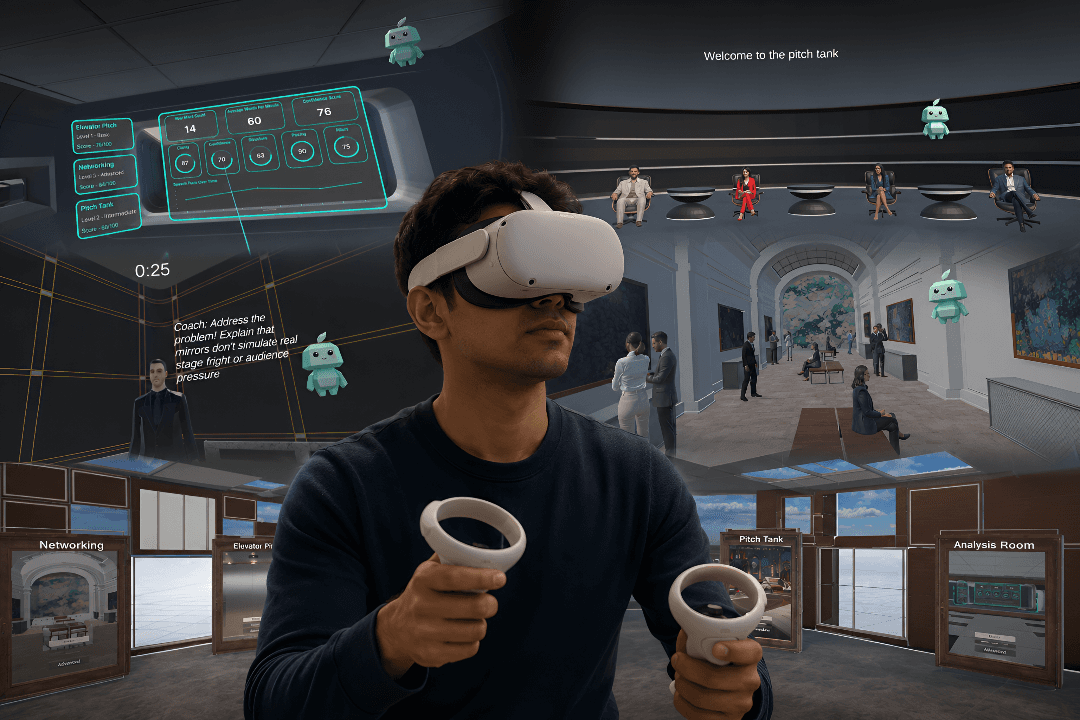
And your progress stays with you.

Your shake, made to order.

PRACTICE · SIMULATE · IMPROVE
Before we designed a single screen, we needed to understand why speaking well in a room feels nothing like knowing what to say.
What we found
Five recurring gaps kept surfacing across every interview.
01
02
03
04
05
The pattern
Every gap traced back to the same divide.
What training teaches
Learning
Techniques
Preparation
Practice, alone
Theory of delivery
What a room demands
Performing
Pressure
Judgement
Uncertainty
Real-time response
The missing bridge
Practice
≠
Real pressure
Traditional training stops at the edge of the room. Nothing carries a learner across.
People don't just need to practise speaking.
They need to practise the pressure of speaking.
Introducing


SpeakEasy is built around a companion — Buddy — that listens, observes, and gently guides learners through a continuous loop: practice builds awareness, awareness leads to improvement, improvement builds confidence.
HologramAugmented RealityVirtual Reality
Hologram
AR
VR
The low-pressure first step
AR guides practice and VR builds confidence — but both only begin once someone chooses to engage. The hologram meets people where they are, in physical spaces, and turns curiosity into participation.

Captures attention instantly
Draws people in at conferences, campuses, and events without asking for commitment.
A safe first interaction
Speak, engage, and explore without feeling judged, before any formal training begins.
Bridges awareness to action
A QR-based entry point that carries curious visitors into structured AR and VR learning.
SpeakEasy is a holistic communication training ecosystem

Points of Intervention

Product in Detail
From storyboard to working screens.
A closer look at how the learner and trainer experiences actually work from the first AR practice session to the VR storyboard, hologram interaction, and the training-institute website.
Learner App practicing a speech, end to end
Pick a practice type, set up the session, rehearse live with real-time overlays, then review a full performance breakdown.
A real capture of the AR coach mid-session — teleprompter, gaze tracking, blink count, voice waveform, words-per-minute, and a live filler-word alert, all overlaid on the learner's own camera feed.
Learner App practicing a speech, end to end
Pick a practice type, set up the session, rehearse live with real-time overlays, then review a full performance breakdown.
THE VR STORY
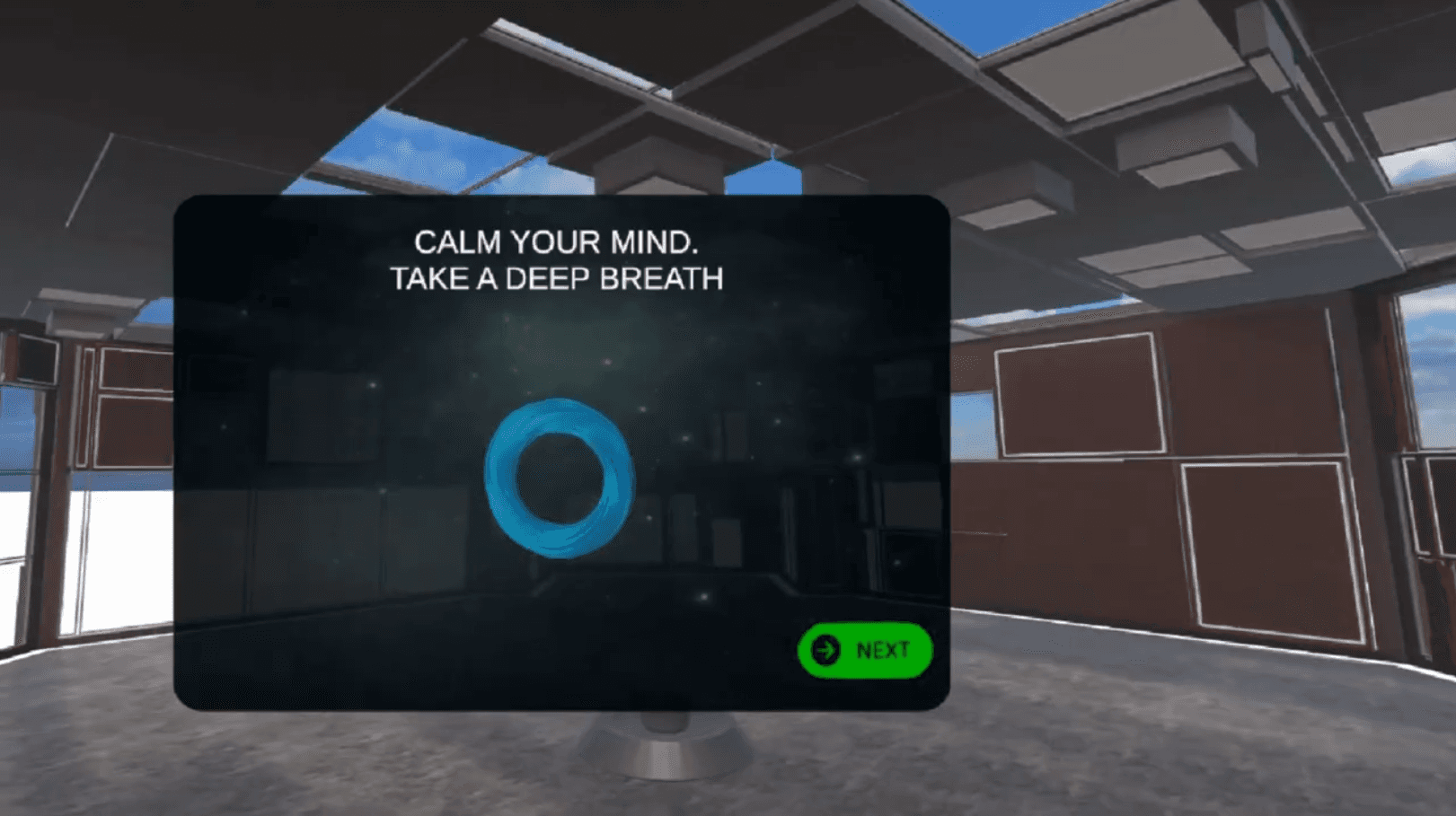
ONBOARDING EXERCISES
1/6 - onboarding exercises
Start small. Build the basics.
Users complete short exercises that introduce voice, posture, eye contact and speaking fundamentals. The system establishes a baseline so later sessions can measure improvement.
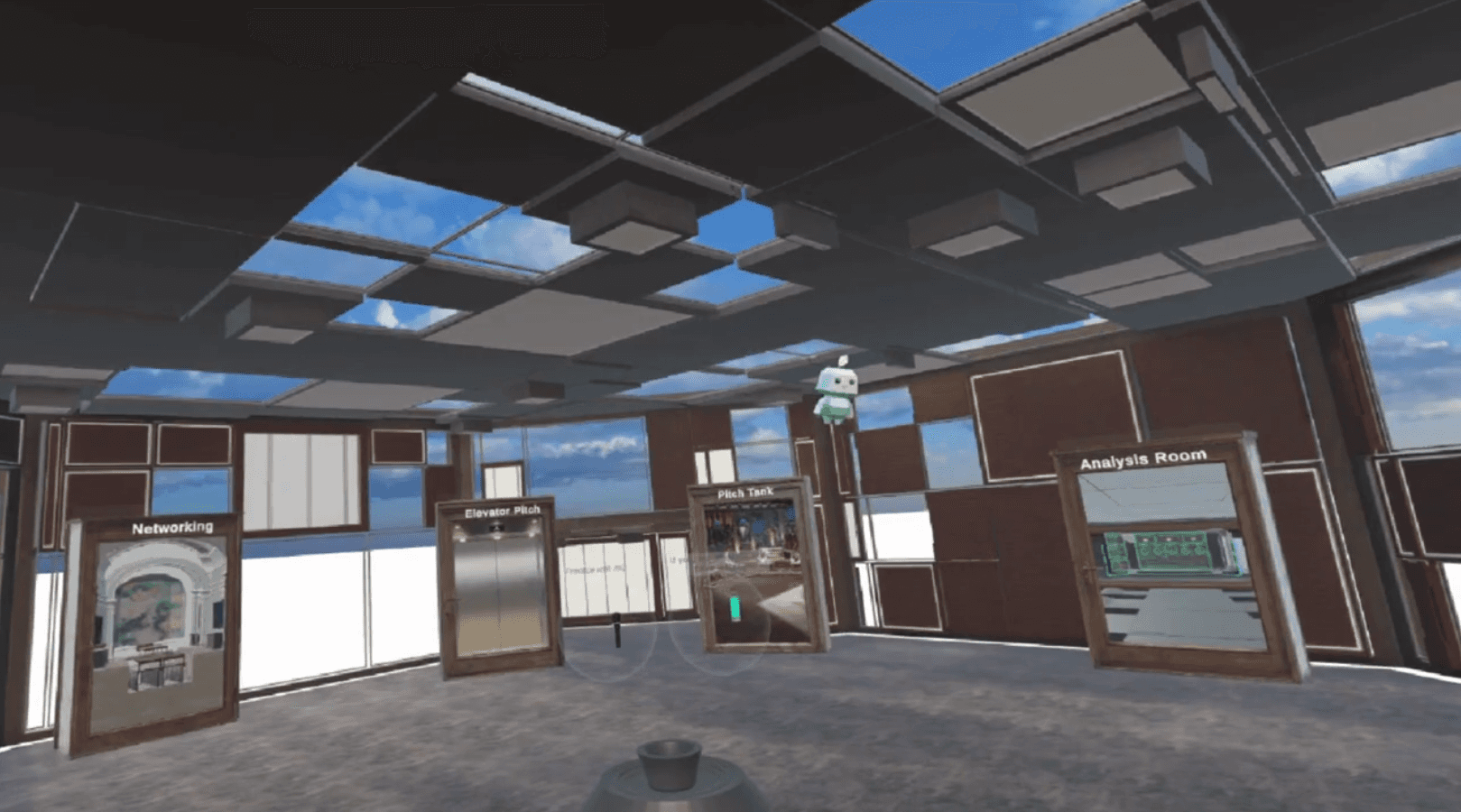
ONBOARDING EXERCISES
2/6 - onboarding room
Start small. Build the basics.
Users complete short exercises that introduce voice, posture, eye contact and speaking fundamentals. The system establishes a baseline so later sessions can measure improvement.

ONBOARDING EXERCISES
3/6 - Networking Icebreaker
Start small. Build the basics.
Users complete short exercises that introduce voice, posture, eye contact and speaking fundamentals. The system establishes a baseline so later sessions can measure improvement.

ONBOARDING EXERCISES
1/6
Start small. Build the basics.
Users complete short exercises that introduce voice, posture, eye contact and speaking fundamentals. The system establishes a baseline so later sessions can measure improvement.

ONBOARDING EXERCISES
1/6
Start small. Build the basics.
Users complete short exercises that introduce voice, posture, eye contact and speaking fundamentals. The system establishes a baseline so later sessions can measure improvement.

ONBOARDING EXERCISES
1/6
Start small. Build the basics.
Users complete short exercises that introduce voice, posture, eye contact and speaking fundamentals. The system establishes a baseline so later sessions can measure improvement.
HOLOGRAM
and in terms of getting people onboard we have a hologram which will be placed in seminars etc where our buddy will introduce what speakeasy is and try to get people onboard
FROM PRACTICE TO PROOF
With the experience built, we tested how well it actually worked.
USABILITY TESTING
Measurable movement, session over session.
Comparative testing tracked five skills before and after using SpeakEasy — self-rated on a 5-point scale.
Confidence
Preparedness
Anxious
Speaking Pace
Overall Comm
Before Speakeasy
After Speakeasy
What worked
The guided "buddy" made the process feel supportive and easy to follow
Real-time feedback on eye contact, pacing, and gestures drove quick improvement
The flow from practice to performance report felt clear and purposeful
What didn't
Long, audio-delivered feedback felt overwhelming mid-practice
VR characters lacked natural animation, reducing immersion
No option to customise feedback format for different learners
BUSINESS MODEL
A B2B SaaS model built around training institutes.
Institutes subscribe for trainer tools and analytics at scale; learners get an AR coach that travels with them.
Key Partners
Public speaking academies
Colleges & placement cells
Corporate L&D teams
Key Activities
AR/VR platform development
Body language & voice analytics
Institute onboarding
Value Proposition
Personal AR coach, real-time guidance
Safe practice for interviews & presentations
Measurable feedback at batch scale
Customer Segments
Speaking academies
Corporate training depts
Interview-prep institutes
Channels
Direct institute partnerships
EdTech college tie-ups
Demo platform & events
Revenue Streams
B2B subscription (core)
Corporate training packages
White-label for large institutes
Where the practice gets sharper.
In Augmented Reality
Trainer review & feedback
Recorded sessions trainers can review and comment on directly.
Expanded AR environments
Presentation screens, audience simulations, and conference setups.
AI-assisted script guidance
Generated prompts, pacing suggestions, and structured content support.
Gesture & posture detection
Deeper recognition of hand movement and body language.
In Virtual Reality
Real-time LLM feedback
Contextual guidance delivered mid-speech, not just after.
Expressive audience behaviour
Reactions that shift with engagement, confusion, or agreement.
Multi-language support
Practising in a learner's own preferred language and context.
Progressive difficulty
Three levels per scenario, from basic to advanced speaking environments.
SpeakEasy turns hesitant speakers into confident communicators through guided practice and real-world simulation.